
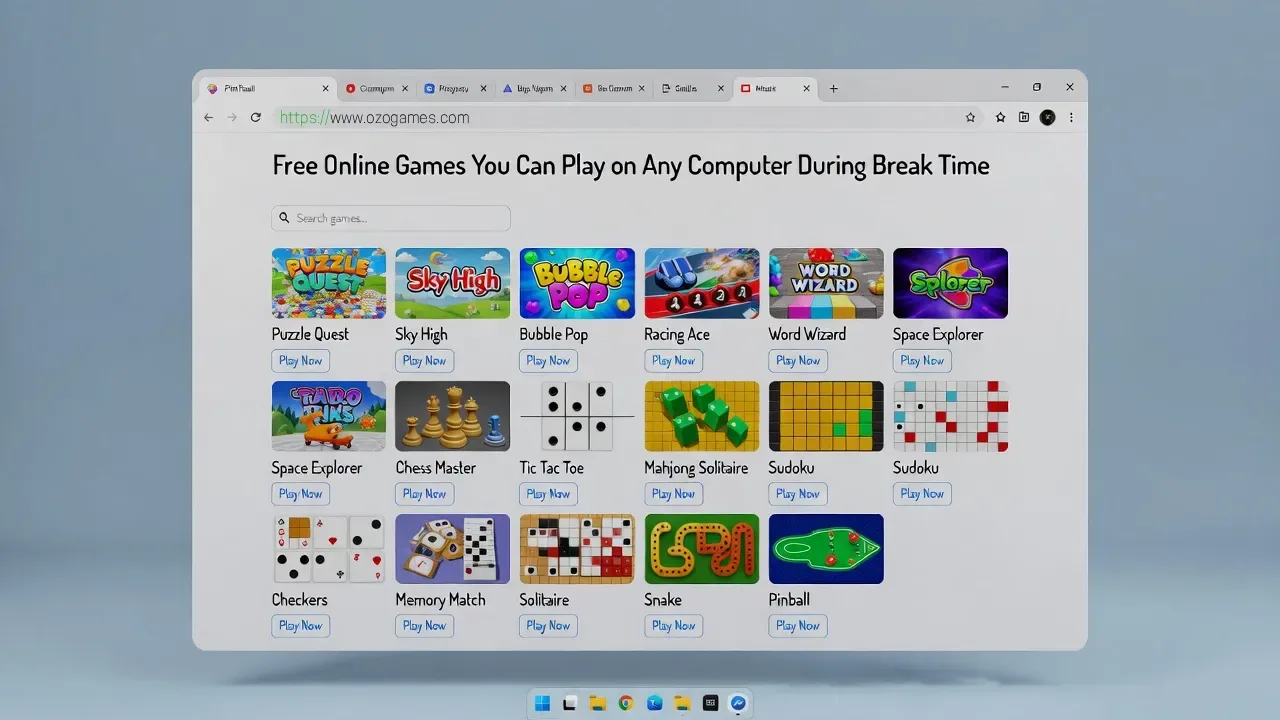
Free Online Games You Can Play on Any Computer During Break Time
Free online games for school computers offer students a quick, accessible way to unwind during breaks without installing software or needing powerful hardware. These browser-based games work on nearly any device—from school desktops to personal laptops—and provide entertainment that fits perfectly into short free periods between classes or during lunch.
Introduction
Break time is valuable for students to relax and recharge, and many schools across the U.S. now recognize that short gaming sessions can provide mental breaks that support focus and well-being. Free online games designed for school environments are built to run directly in web browsers, which means they don't require downloads, administrative permissions, or high-end computers.
These games have evolved far beyond simple flash titles, now offering rich gameplay experiences including multiplayer challenges, creative puzzles, and strategic thinking exercises that can be enjoyed responsibly during approved free time. When students choose age-appropriate titles from trusted platforms, browser gaming becomes a safe, convenient option that respects school device policies while delivering genuine entertainment.
What Makes Browser Games Perfect for School Breaks
Browser games excel in school settings because they launch instantly—no waiting for installations, updates, or lengthy loading screens. Students can simply open a tab, play for 5 to 15 minutes, and close it when break time ends, making them ideal for the short windows available between classes or during study hall.
Unlike downloadable games that require storage space and system resources, free online games run through the web browser and keep school computers clean and fast. This lightweight approach also means less risk of technical conflicts with educational software or accidental downloads of unwanted programs.
Most importantly, browser-based games work across different operating systems and device types, so the same game that runs on a school Windows PC will typically work just as well on a Chromebook, Mac, or home laptop. This cross-platform compatibility makes them universally accessible for students regardless of which computer lab or device they're using.
Device Compatibility: Works Everywhere
One of the strongest advantages of free online games for school is their universal compatibility. Whether your school uses aging desktop computers, modern Chromebooks, or a mix of different hardware, browser games are designed to adapt to various configurations and performance levels.
School computers are rarely built for gaming—they typically have modest processors, limited RAM, and integrated graphics rather than dedicated gaming hardware. Browser game developers understand these constraints and optimize their titles to run smoothly on low-end systems, focusing on efficient web technologies instead of demanding 3D graphics.
This means puzzle games, word challenges, 2D platformers, and strategy titles will generally perform well even on computers that are several years old. Students using newer devices or Chromebook Plus models may experience even smoother gameplay, but the core experience remains accessible across the board. The key is choosing games specifically designed as browser-based experiences rather than trying to stream resource-intensive titles.
Top Game Categories for School Break Time
Puzzle and brain games
Puzzle games are perhaps the most school-friendly category, offering mental challenges that can actually complement learning while providing genuine entertainment. Logic puzzles, number games like 2048-style mergers, match-three games, and physics-based challenges all run efficiently in browsers and typically feature intuitive controls that work with just a mouse or trackpad.
These games encourage problem-solving, pattern recognition, and strategic thinking—skills that transfer well to academic work. They also tend to have natural stopping points after each level or puzzle, making it easy for students to play for exactly as long as their break allows. You can explore many of these games on Ozogames, which curates accessible puzzle content that loads quickly on school networks.
Word and trivia games
Word games offer both entertainment and educational value, making them particularly appealing for school environments. Browser-based crosswords, word searches, spelling challenges, anagram puzzles, and vocabulary builders can all be played as free online games without any downloads.
Trivia games similarly combine fun with learning, testing general knowledge across subjects like history, science, geography, and pop culture. These titles usually have minimal graphics requirements and focus on content quality instead, so they run smoothly even on older school computers with slower internet connections.
Teachers and parents often appreciate word and trivia games because they support literacy and knowledge retention while giving students a mental break from more intensive academic work. Platforms like Ozogames feature these educational-leaning games alongside pure entertainment titles, giving students multiple options for constructive break-time activities.
Strategy and simulation games
Turn-based strategy games and simple simulation titles teach planning, resource management, and long-term thinking—valuable skills both in and out of the classroom. These free online games might involve building small cities, managing virtual farms or restaurants, solving tactical puzzles on a grid, or making strategic decisions that unfold over multiple turns.
Because they emphasize thoughtful decision-making rather than fast reflexes or constant action, strategy games work particularly well during school breaks when students want engaging content without intense stress. They also tend to be less graphically demanding, focusing computational power on game logic rather than visual effects, which helps them run reliably on standard school computers.
Many strategy and simulation games include save features or progress systems, allowing students to pick up where they left off during the next break period. Just remember to check whether your chosen platform requires account creation, and always use school-appropriate usernames and passwords if needed.
Classic arcade and action games
Modern browsers can handle surprisingly sophisticated versions of classic arcade experiences—side-scrolling platformers, endless runners, simple shooters, and retro-inspired action games all thrive as free online games. These titles capture the quick, skill-based fun of arcade classics while adding modern touches like improved controls, checkpoint systems, and mobile-friendly interfaces that also work with keyboard input.
Arcade-style games are perfect for short break periods because they're designed for quick sessions and instant replayability. Students can jump in, attempt to beat a high score or complete a level, and stop whenever needed without feeling like they're interrupting a longer story or campaign.
When choosing arcade games for school, look for titles that are fast-paced but not overly violent or intense—platformers, racing games, rhythm challenges, and skill-based obstacle courses tend to be widely acceptable. You can explore many of these games on Ozogames, which emphasizes instantly playable arcade content appropriate for school environments.
Casual multiplayer and social games
Browser-based multiplayer games don't have to mean competitive shooters or complex team battles. There's a thriving category of casual, cooperative, and turn-based multiplayer experiences that work perfectly as free online games for school breaks—think drawing games where players guess what others are sketching, digital board game adaptations, simple quiz competitions, and cooperative puzzle-solving.
These social games can help friends stay connected during free periods and provide a different kind of mental break by emphasizing creativity, communication, and lighthearted competition. Many are designed to accommodate players joining or leaving between rounds, which aligns perfectly with the unpredictable timing of school breaks.
When exploring multiplayer options, prioritize platforms with moderation, content filters, and family-friendly design philosophies. Stick to simple, party-style games that focus on fun rather than aggressive competition, and always be mindful of school policies regarding online communication and multiplayer gaming.
Benefits Beyond Entertainment
Free online games for school offer several advantages beyond simple fun. Because they require no installation, they eliminate the risk of accidentally downloading malware or cluttering shared computers with unnecessary software—a significant concern for IT departments managing hundreds of student devices.
These browser-based experiences also teach digital literacy and responsible technology use when approached thoughtfully. Students learn to evaluate websites for safety and quality, manage their time effectively by balancing gaming with academic responsibilities, and practice self-regulation by stopping play when breaks end.
For schools with limited technology budgets, browser games provide entertainment value without requiring expensive gaming hardware or software licenses. The same computers used for classroom research and typing practice can double as break-time gaming stations, maximizing the utility of existing equipment.
Finally, well-chosen games can support social-emotional learning by providing healthy stress relief, opportunities for friendly competition, and shared experiences that help build classroom community. When integrated thoughtfully into school culture rather than banned outright, gaming can become part of a balanced approach to student well-being.
Staying Safe While Gaming Online
Even with age-appropriate games, students should practice strong online safety habits. Cybersecurity experts and educators consistently emphasize several core principles: never share personal information like full names, addresses, phone numbers, or school names in game chats or profiles; be cautious about clicking suspicious links or ads that appear around games; and immediately tell a trusted adult if something online feels uncomfortable, scary, or inappropriate.
For younger students especially, gaming should happen in visible spaces where parents or teachers can occasionally monitor what's on screen. Privacy settings should be reviewed together, and students should understand that not everyone they meet online is who they claim to be—even in seemingly innocent gaming environments.
Schools often implement content filters and network policies to help protect students, but these technical safeguards work best when combined with education about digital citizenship. Students who understand why safety rules exist are more likely to follow them even when direct supervision isn't present.
Parents can support safe gaming by maintaining open communication, setting reasonable time limits, and periodically checking which sites their children visit most often. Many families find success with agreed-upon "approved sites" lists that include vetted platforms for free online games rather than allowing unrestricted browsing.
How to Choose Trusted Gaming Websites
Quality gaming platforms distinguish themselves through several observable characteristics. First, look for secure connections—reputable sites will display a padlock icon in the browser address bar and use "https" rather than just "http" in their URLs, indicating encrypted communication that protects your data.
Trustworthy gaming sites typically have professional designs without excessive pop-ups, misleading download buttons, or aggressive advertising that makes it hard to find actual game content. They clearly display privacy policies, contact information, and terms of service rather than hiding behind anonymous registration pages or vague corporate structures.
Reviews and recommendations matter—platforms widely used by schools, recommended by educators, or mentioned positively in parenting forums and tech publications are generally safer bets than random sites discovered through questionable advertising. Look for platforms with content curation and age ratings rather than sites that simply host whatever users upload without review.
For students and parents seeking reliable options, platforms like Ozogames focus specifically on browser-based entertainment with no download requirements, making them naturally aligned with school-device constraints. Sticking to a few trusted sites rather than constantly exploring new domains helps reduce exposure to potentially problematic content or security risks.
When in doubt, ask—teachers, school librarians, and IT staff often maintain lists of approved gaming sites that meet both educational standards and technical requirements. These vetted resources provide a starting point for safe break-time entertainment.
Discovering Games on Ozogames
Ozogames provides a centralized hub for finding free online games that work well during school breaks, with particular emphasis on titles that launch instantly in the browser without requiring downloads or installations. This focus makes the platform especially compatible with school computers where adding software typically isn't allowed.
The site organizes games into clear categories—puzzles, strategy, arcade, word games, and casual multiplayer—making it easy for students to find content that matches their interests and available time. Because everything runs through the web browser, students can start playing within seconds of choosing a game, then close the tab just as quickly when break time ends.
For families and educators managing multiple students or looking to recommend safe gaming options, using a platform like Ozogames simplifies the oversight process. Rather than evaluating dozens of different gaming sites individually, you can assess one platform's safety and appropriateness, then feel confident directing students there for various game types.
You can explore many of these games on Ozogames whether you're using a school Chromebook, a home laptop, or a computer lab desktop—the browser-based approach ensures consistent access across different devices and locations. This flexibility helps students maintain continuity in their gaming preferences rather than needing to search for different games on each device they use.
FAQ
Are free online games for school really free, or are there hidden costs?
Most browser-based school games are genuinely free, typically supported by advertising rather than upfront payments. Some games offer optional premium features or cosmetic upgrades for purchase, but the core gameplay remains accessible without spending money. Students should always ask permission before entering any payment information online, and trusted platforms will never require credit card details just to play basic free content.
Will these games work on my school's internet connection?
Browser games are generally designed to function on standard internet speeds, including the shared networks common in schools. Simple puzzle, word, and 2D games require minimal bandwidth and should load reliably even when many students are online simultaneously. More graphics-intensive games might load more slowly on congested school networks but should still be playable. If a game won't load, try switching to a different title or playing during less busy times.
Can I save my progress in browser games?
Progress-saving varies by game and platform. Some browser games store progress locally in your browser's cache, meaning your saves remain on that specific computer. Others use account systems that sync progress across devices, which can be helpful if you play on both school and home computers. Many casual games like puzzles don't include save features at all, instead offering quick sessions that complete in one sitting. Check individual game instructions to understand how progress works.
Are multiplayer browser games safe for school use?
Multiplayer games can be safe when chosen carefully, but they do require extra caution because they involve interaction with other players. Look for games with active moderation, chat filters, and reporting tools. Avoid games with unmoderated voice chat or those requiring extensive personal information to create accounts. Simple turn-based or cooperative games with limited communication features tend to be safer than competitive games with open chat systems. Always follow your school's specific policies about online communication.
What should I do if I encounter inappropriate content in a game?
If you see something inappropriate, offensive, or concerning while gaming, stop playing immediately and tell a trusted adult—a parent, teacher, or school counselor. Most reputable gaming platforms include reporting tools that allow you to flag problematic content or behavior. Never try to handle uncomfortable situations alone, and don't continue playing on sites where you've encountered inappropriate material. Your safety and comfort are more important than any game.
Making the Most of Break Time
Free online games for school can enhance break periods when approached with balance and responsibility. These quick gaming sessions provide mental refreshment that helps students return to academic work with renewed focus, offer opportunities for social connection through shared gaming interests, and teach valuable skills like strategic thinking and problem-solving.
The key is treating browser games as one part of a healthy break-time routine that might also include physical activity, socializing with friends, reading, or simply resting. When gaming remains occasional rather than constant, and when students choose quality platforms like Ozogames that emphasize safe, accessible content, browser games become a positive addition to the school day rather than a distraction.
You can explore many of these games on Ozogames during your next free period, selecting from categories that match your interests and the time available. Whether you prefer solving puzzles, testing your vocabulary, exploring simple strategy challenges, or enjoying classic arcade action, browser-based gaming offers something for every student's taste and every school's technology setup.
"Always follow your school, workplace, or organization's internet policies when accessing online content."