

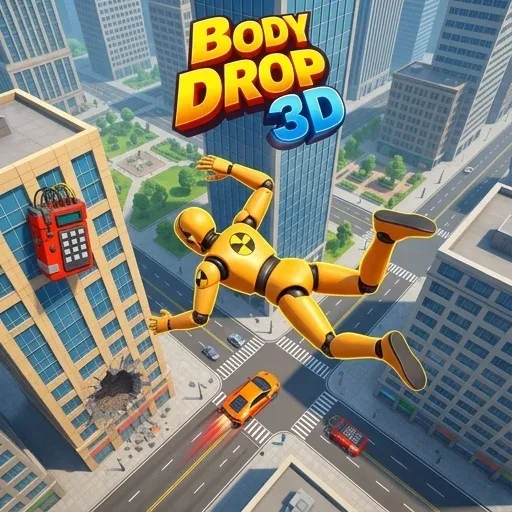
Body Drop 3d
Game Overview
Body Drop 3d is a 3D physics game where you guide a falling body through obstacles. The goal is to navigate through various levels, avoiding traps and landing precisely on target platforms. Each level presents unique gravity challenges and environmental puzzles to solve.
| Game Engine | HTML5 |
| Input Mode | Keyboard + Mouse |
| Save Type | Browser local storage |
| Players | Single-player |
How to Play Body Drop 3d
- Initiate Drop: Begin each level by starting your character's descent from the top of the screen. A countdown might precede the drop, giving you a moment to prepare for the initial trajectory.
- Guide Movement: Use the arrow keys or WASD to steer your falling body left, right, forward, and backward through the complex 3D space. Precise control is key to navigating tight gaps and avoiding collisions.
- Avoid Hazards: Navigate carefully to dodge various traps, moving obstacles, and environmental dangers that appear in your path, such as spinning blades, laser grids, or collapsing platforms. Each hazard requires a different approach to bypass safely.
- Land Precisely: Aim to land your body perfectly within the designated target zone at the bottom of each level to complete the challenge. Some levels may require a soft landing, while others demand hitting a specific spot for bonus points.
Body Drop 3d Tips and Strategy
Pro Tip: In levels with tight corridors or many moving parts, make small, controlled adjustments to your trajectory rather than large, sweeping movements — this prevents accidental collisions with walls or traps. Observing the movement patterns of obstacles and planning your path a second ahead can significantly improve your success rate.
Common Mistake: A common mistake is rushing the fall without first observing the pattern of moving obstacles. Many players fail by reacting too late to dynamic environments. Take a moment at the start of a level to identify the timing and movement of hazards before committing to your descent, allowing you to anticipate challenges rather than just react to them.
Play Body Drop 3d Unblocked
Enjoy Body Drop 3d directly in your web browser with no download required. This fun 3D game runs smoothly on most devices, making it perfect for playing at school or work without needing any special software or VPN. You can simply open a new browser tab, navigate to OzoGames, and start guiding your body through challenging drops whenever you have a moment.
FAQs
Can you play Body Drop 3d unblocked at school or work?
Yes, you can play Body Drop 3d unblocked at school or work because it's a browser-based game, meaning no download required. It runs directly in your web browser, so you don't need to install any software or use a VPN. This makes it easy to enjoy on most restricted networks.
How do you control Body Drop 3d?
Body Drop 3d is controlled using the arrow keys or WASD to steer your falling body. You use these keys to move left, right, forward, and backward through the complex 3D space. Precise keyboard input is essential for navigating tight gaps and avoiding collisions on your descent.
What is the goal in Body Drop 3d?
The main goal in Body Drop 3d is to guide your falling body through various 3D levels. You must avoid traps and obstacles, then land precisely on the designated target platform at the bottom. Successfully landing completes the level, while hitting hazards means you fail and restart.
Does Body Drop 3d save your progress automatically?
Body Drop 3d automatically saves your progress using browser local storage. Your completed levels and scores are stored directly in your web browser. If you clear your browser data or switch devices, your progress may be lost, so keep your browser data intact.
Does Body Drop 3d run smoothly on Chromebooks or older devices?
Body Drop 3d generally runs smoothly on most modern devices, including Chromebooks and many older computers. Since it's an HTML5 browser game, no download required, it works well in popular browsers like Chrome, Firefox, and Edge, offering a seamless experience without heavy system demands.


