

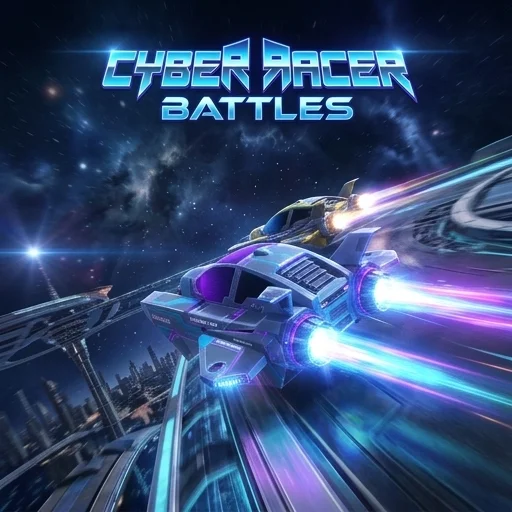
Cyber Racer Battles
Game Overview
Cyber Racer Battles is a Racing game where you race, battle rivals, and dominate the track. The core loop involves competing in high-speed races, strategically using unique weapon upgrades to defeat opponents, and striving to reach the finish line in first place. Master different weapon types and vehicle abilities to gain an advantage on various futuristic circuits.
| Game Engine | HTML5 |
| Input Mode | Keyboard only |
| Save Type | Browser local storage |
| Players | Single-player |
How to Play Cyber Racer Battles
- Choose your vehicle: Before each race, select your preferred cyber racer from a roster of distinct vehicles, each with unique stats and potential weapon loadouts.
- Navigate the track: Use the arrow keys or WASD to steer your vehicle through challenging futuristic environments, avoiding hazards and maintaining optimal speed around corners.
- Deploy weapon upgrades: Collect various power-ups scattered across the track, then press a designated key (e.g., Spacebar or X) to activate weapons like missiles, shields, or speed boosts against your rivals.
- Win the race: Strategically outmaneuver and outgun your opponents to cross the finish line first, earning in-game currency or unlocking new tracks and vehicles.
Cyber Racer Battles Tips and Strategy
Pro Tip: In tight turns, drift slightly by tapping the brake while turning to maintain speed and line up your weapon shots on trailing opponents — this allows you to hit multiple targets with a single projectile or deploy a trap effectively. Mastering the drift can shave seconds off your lap times and position you for offensive plays.
Common Mistake: Many players forget to use their collected weapon upgrades, saving them for too long or waiting for a "perfect" moment that never comes. Deploy weapons as soon as you have a clear shot at a rival or need to defend yourself to gain an immediate advantage and clear the path ahead. Don't hoard power-ups; use them to control the race.
Play Cyber Racer Battles Unblocked
Experience the thrill of Cyber Racer Battles directly in your browser, offering fast-paced racing action whenever you're ready. This exciting online racing game requires no download required, making it perfect for quick play sessions during breaks. Enjoy the intense competition on school or work networks without needing any extra software or a VPN, running smoothly and securely in any standard web browser tab. Simply open your browser and start racing against cyber rivals instantly.
FAQs
Can you play Cyber Racer Battles unblocked at school or work?
Yes, you can play Cyber Racer Battles unblocked directly in your browser. Because it's a browser-based game, no download required, making it accessible on school or work networks. You won't need a VPN or any extra software to enjoy the racing action.
How do you control Cyber Racer Battles?
You control Cyber Racer Battles using your keyboard. You steer your vehicle with the arrow keys or WASD. To deploy weapon upgrades like missiles or shields, you press a designated key, such as Spacebar or X. This setup allows for precise maneuvering and strategic combat during races.
What is the goal in Cyber Racer Battles?
The main goal in Cyber Racer Battles is to win races by crossing the finish line first. You achieve this by outmaneuvering rivals and strategically using unique weapon upgrades collected on the track. Succeeding earns you in-game currency, which you can use to unlock new vehicles and tracks.
Does Cyber Racer Battles save your progress automatically?
Your progress is saved automatically using your browser's local storage. This means if you close the tab, your game data should remain. However, clearing your browser's cache or cookies will erase your saved progress, so avoid doing that if you want to keep your unlocks.
Does Cyber Racer Battles run smoothly on Chromebooks or older devices?
Cyber Racer Battles is designed to run smoothly on most modern devices, including Chromebooks and older computers. Since it's an HTML5 browser game, no download required, ensuring good performance. You can play it seamlessly in popular browsers like Chrome, Firefox, or Edge without issues.


