

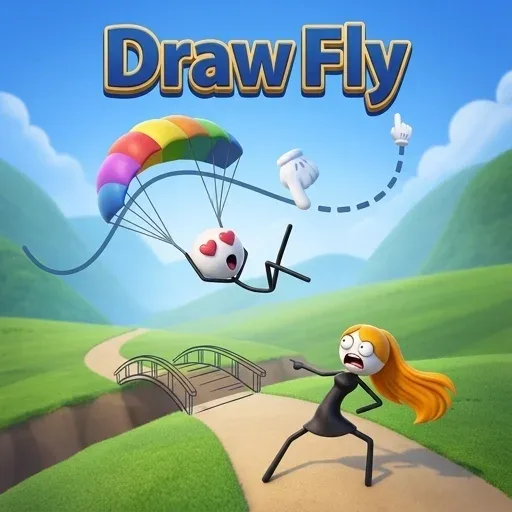
Draw Fly
Game Overview
Draw Fly is a physics game where you draw lines to guide objects and make them fly to their goal. The core loop involves observing the level layout, strategically drawing paths, and activating physics to solve each puzzle. Success depends on understanding momentum and gravity within a series of increasingly complex challenges.
| Game Engine | HTML5 |
| Input Mode | Mouse, Touch |
| Save Type | No save |
| Players | Single-player |
How to Play Draw Fly
- Analyze the level: Before drawing, carefully observe the entire puzzle layout, noting the object's starting point, the target destination, and any environmental elements like platforms, gaps, or obstacles. Plan your general strategy for guiding the object.
- Draw your path: Use your mouse or finger to draw lines directly onto the screen. These lines will become physical structures that interact with the object, acting as ramps, bridges, or barriers. Experiment with different shapes and angles to create the most effective trajectory.
- Activate physics: Once you are satisfied with your drawn lines, release the mouse button or lift your finger to initiate the physics simulation. Watch how your object interacts with the lines you've created and moves through the level.
- Refine and retry: If the object doesn't reach its goal, don't worry. You can erase or adjust your lines and try again. Learning from each attempt is key to understanding the game's physics and successfully solving the increasingly difficult puzzles.
Draw Fly Tips and Strategy
Pro Tip: In levels requiring precise movement or navigating tight spaces, try drawing shorter, segmented lines rather than one long continuous path. This approach allows for more controlled adjustments to the object's trajectory and momentum, giving you finer control over its flight path and helping it land exactly where you intend.
Common Mistake: A frequent misplay is drawing lines that are either too steep, causing the object to lose momentum and stall, or too shallow, leading it to overshoot the target. To avoid this, experiment with gentle slopes and gradual curves to maintain optimal speed and direction, ensuring the object smoothly reaches its destination.
Play Draw Fly Unblocked
You can enjoy Draw Fly directly in your web browser with no download required, making it incredibly convenient to start playing instantly. This physics puzzle game is designed to run smoothly on most school or work networks, so you can access it without needing any special software, installations, or a VPN. Just open a new browser tab and dive into the creative challenges of drawing and flying whenever you have a moment, making it perfect for quick breaks.
FAQs
Can you play Draw Fly unblocked at school or work?
Yes, you can play Draw Fly unblocked directly in your web browser. This physics puzzle game requires no download required and runs smoothly on most school or work networks. You won't need any special software, installations, or a VPN to access it, making it perfect for quick breaks.
How do you control Draw Fly?
You control Draw Fly primarily with your mouse or finger. Simply click and drag to draw lines on the screen, which become physical structures for your object. Releasing the button activates physics. If you make a mistake, you can easily erase or adjust your lines to retry the puzzle.
What is the goal in Draw Fly?
The goal in Draw Fly is to guide an object to its target destination by drawing lines. You observe the level, strategically draw paths, and then activate physics to solve each puzzle. If your object reaches the goal, you progress; otherwise, you can refine your lines and try again.
Does Draw Fly save your progress automatically?
No, Draw Fly does not save your progress automatically. Since there's no save feature, closing your browser tab or clearing data means you'll restart from the beginning on your next session. Each puzzle is a fresh challenge, allowing you to enjoy the game in short, self-contained bursts.
Does Draw Fly run smoothly on Chromebooks or older devices?
This physics game is designed to run smoothly on most modern web browsers, including Chrome, Firefox, and Edge, even on Chromebooks or older devices. Its HTML5 engine ensures efficient performance, and since there's no download required, you can jump right into the physics puzzles without any installation hassle.


