

EvoWars IO
Game Overview
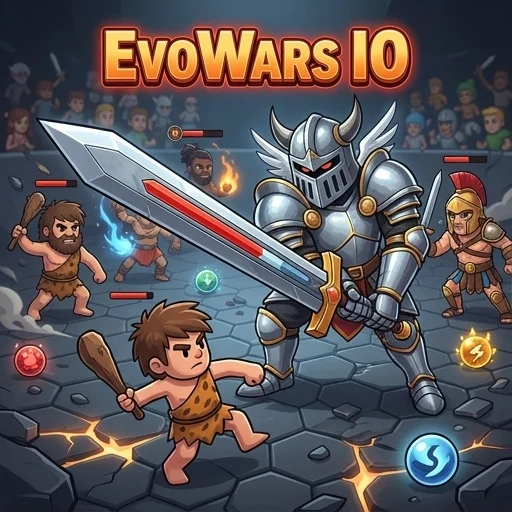
EvoWars IO is an Action game where you evolve your warrior and defeat foes. Players collect orbs to grow in size and power, aiming to become the largest warrior on the map. The game features a medieval-fantasy setting with various character evolutions.
| Game Engine | HTML5 |
| Input Mode | Keyboard + Mouse |
| Save Type | Browser local storage |
| Players | Online multiplayer |
How to Play EvoWars IO
- Move your warrior: Use your mouse to direct your character across the expansive arena, navigating around obstacles and other players. Your warrior will automatically follow your cursor, allowing for precise movement and positioning.
- Collect orbs: Gather the glowing experience orbs scattered throughout the map. Collecting these orbs is crucial for gaining experience points, which are essential for increasing your warrior's size and overall power.
- Evolve your character: As you accumulate enough experience from collecting orbs and defeating enemies, your warrior will evolve into more powerful and visually distinct forms. Each evolution grants increased stats and a new appearance.
- Engage in combat: Click the left mouse button to swing your weapon and attack nearby opponents. Timing your attacks and positioning yourself strategically are key to defeating other players and absorbing their experience points to grow even faster.
EvoWars IO Tips and Strategy
Pro Tip: In the early stages of the game, prioritize collecting as many glowing orbs as possible to quickly gain experience and trigger your first few evolutions. This rapid growth gives you a significant size and power advantage, making it easier to dominate smaller opponents and survive encounters with larger ones, accelerating your overall progress.
Common Mistake: A frequent error is to aggressively attack much larger or higher-level opponents when you are still small. This often results in a swift defeat and loss of all your accumulated progress. Instead, focus on evasion and strategic orb collection until your warrior is a formidable size, then choose your battles wisely against suitable targets.
Play EvoWars IO Unblocked
You can enjoy EvoWars IO directly in your web browser with no download required, offering instant access to the action. This means you can easily play the game on school or work networks without needing to install any extra software or use a VPN. Simply open a new tab and start evolving your warrior for some quick, competitive fun.
FAQs
Can you play EvoWars IO unblocked at school or work?
Yes, you can play EvoWars IO unblocked directly in your web browser. Since it's a browser game, there's no download required, meaning you don't need to install any software. This allows you to easily access and enjoy the game on school or work networks without needing a VPN or extra installations. It's ready to play instantly.
How do you control EvoWars IO?
You control EvoWars IO primarily with your mouse. To move your warrior across the arena, simply direct your cursor, and your character will follow. For combat, click the left mouse button to swing your weapon and attack nearby opponents. Strategic movement and timely attacks are key to dominating the map.
What is the goal in EvoWars IO?
The main goal in EvoWars IO is to evolve your warrior, defeat foes, and become the largest player on the map. You achieve this by collecting glowing experience orbs and eliminating other players. Successfully growing your warrior grants increased stats and new forms, while being defeated means losing your progress and starting over.
Does EvoWars IO save your progress automatically?
Your progress in EvoWars IO is automatically saved using your browser's local storage. This means your warrior's current evolution and stats are stored directly within your web browser. If you close the tab, your progress should remain. However, clearing your browser's data or cookies will permanently delete your saved game.
Does EvoWars IO run smoothly on Chromebooks or older devices?
EvoWars IO is an HTML5 browser game, so it generally runs smoothly on most modern devices, including Chromebooks and older computers. Since there's no download required, it's light on system resources. You can play it seamlessly in popular browsers like Chrome, Firefox, or Edge, ensuring a good experience.


