

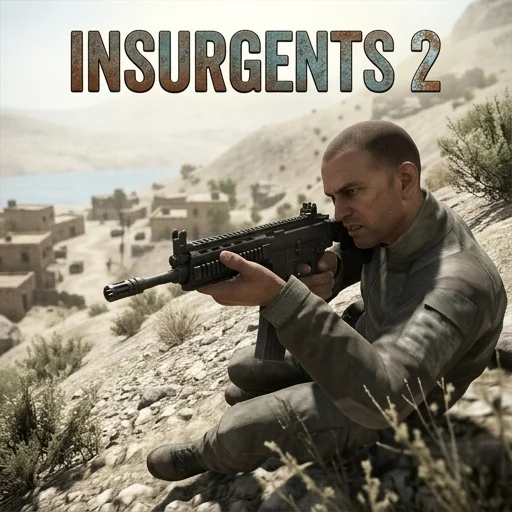
Insurgents 2
Game Overview
Insurgents 2 is a War game where you master timing and strategy. Players engage in tactical combat, aiming to eliminate enemy forces and secure victory across various battlefields. The game features a range of weapon types and environmental cover to utilize.
| Game Engine | HTML5 |
| Input Mode | Keyboard + Mouse |
| Save Type | Browser local storage |
| Players | Single-player |
How to Play Insurgents 2
- Choose Your Loadout: Before deploying into battle, carefully select your primary and secondary weapons from the available arsenal. Consider the mission type and expected engagement distances; for example, a shotgun is great for close quarters, while a sniper rifle excels at long range. Don't forget to equip grenades or other special items if available, as they can turn the tide of a fight.
- Navigate the Environment: Master your movement using the W, A, S, D keys to walk and strafe. Press the Spacebar to jump over small obstacles or reach higher ground, and hold Shift to sprint, allowing you to quickly cross open areas or escape dangerous situations. Always be aware of your surroundings and potential cover spots.
- Engage Enemy Targets: Use your mouse to aim precisely at enemy combatants. Click the left mouse button to fire your equipped weapon. For increased accuracy, especially when targeting enemies at a distance, press the right mouse button to zoom in with your weapon's scope or iron sights. Reload your weapon by pressing 'R' when your magazine is empty.
- Complete Mission Objectives: Each level in Insurgents 2 presents specific objectives that must be completed to achieve victory. These can range from eliminating all hostile forces in an area, defending a strategic point from enemy waves, or reaching a designated extraction zone. Pay attention to the on-screen indicators and tactical map to guide your actions and ensure mission success.
Insurgents 2 Tips and Strategy
Pro Tip: When engaging multiple enemies, prioritize targets that pose the most immediate threat, such as those with powerful weapons or those actively firing at you. Utilize environmental cover effectively by peeking out to fire and quickly retreating to reload or avoid incoming fire. Mastering this "shoot and scoot" tactic will significantly increase your survivability and damage output in intense firefights.
Common Mistake: A frequent error made by new players is neglecting to check corners and blind spots before advancing. This often leads to being ambushed by hidden enemies, resulting in quick defeat. Always approach new areas cautiously, using your camera to sweep corners and listening for enemy footsteps or gunfire before committing to a push. Patience and situational awareness are key to avoiding unnecessary damage.
Play Insurgents 2 Unblocked
Insurgents 2 is a browser game that you can play instantly, with no download required. Enjoy uninterrupted gameplay on school or work networks without needing any extra software or a VPN. Simply open a tab in your browser and start your mission whenever you have a moment.
FAQs
Can you play Insurgents 2 unblocked at school or work?
Yes, you can play Insurgents 2 unblocked at school or work. It's a browser game, meaning no download required, so it runs directly in your web browser. This allows you to enjoy the game on restricted networks without needing a VPN or installing any extra software. Just open a tab and start playing.
How do you control Insurgents 2?
You control Insurgents 2 using your keyboard and mouse. Use W, A, S, D to move, Spacebar to jump, and Shift to sprint. Aim with your mouse and click the left button to fire. Press the right mouse button to zoom, and 'R' to reload your weapon during combat.
What is the goal in Insurgents 2?
The main goal in Insurgents 2 is to complete specific mission objectives across various battlefields. This usually involves eliminating all enemy forces, defending strategic points, or reaching extraction zones. Successfully completing objectives leads to victory, while failing means you must restart the mission. You'll master timing and strategy.
Does Insurgents 2 save your progress automatically?
Your progress in Insurgents 2 is automatically saved using your browser's local storage. This means your game data is stored directly on your device. If you clear your browser's cache or switch to a different computer, your saved game might be lost. Avoid clearing local site data to keep your progress.
Does Insurgents 2 run smoothly on Chromebooks or older devices?
Insurgents 2 is an HTML5 browser game, so it generally runs well on most modern devices, including Chromebooks. Since there's no download required, it's less demanding than installed games. For the best experience, play using up-to-date browsers like Chrome, Firefox, or Edge. Performance may vary on very old hardware.


